Smart Client Views

Miletech Custom Views Plugin

Break free from the XProtect grid. Create fully flexible camera layouts with drag-and-drop positioning, overlapping views and pixel-perfect control.

Key Features

Everything you need to create the perfect camera view layouts.

Free-Form Layouts

Position camera views anywhere on the canvas without being locked to a rigid grid. Resize each view independently to any dimension you need.

Drag-and-Drop Editor

Intuitive drag-and-drop interface in the Management Client. Move, resize and arrange views with full visual feedback in real time.

Overlapping Views

Stack camera views on top of each other to create picture-in-picture layouts, overview-plus-detail setups or any layered arrangement.

Pixel-Perfect Sizing

Set exact pixel dimensions for each view block. Perfect for video walls, control rooms and custom monitoring stations where precision matters.

Grid and Free Mode

Switch between standard grid mode and free positioning mode. Use grid mode for quick uniform layouts, free mode for complete creative control.

Multiple Aspect Ratios

Support for 16:9 and 4:3 aspect ratios within the same view layout. Mix and match camera formats without compromise.

See It in Action

Screenshots from the Management Client editor and Smart Client playback.

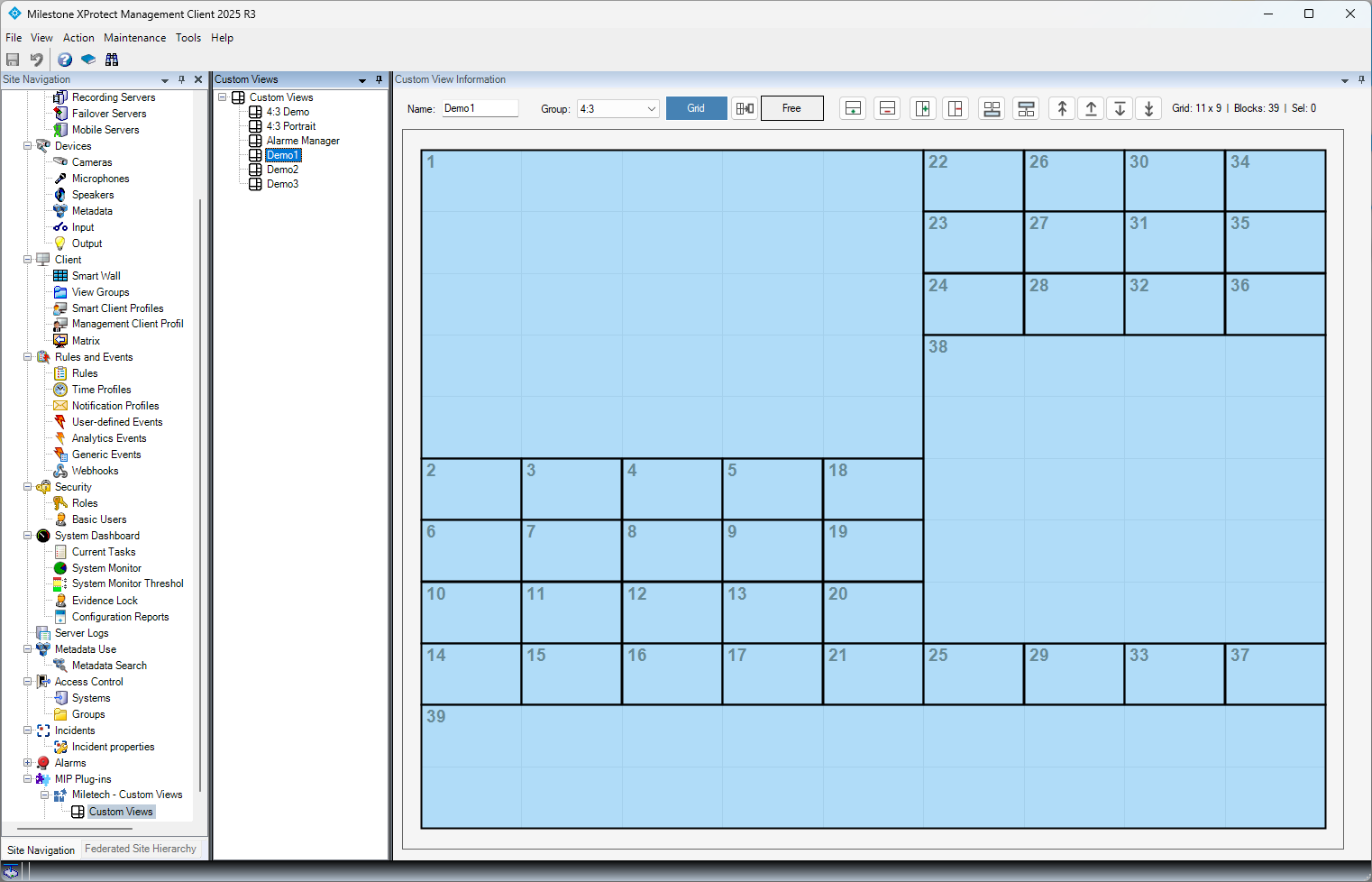
Management Client, Custom Views editor in grid mode
Management Client, grid mode layout editor
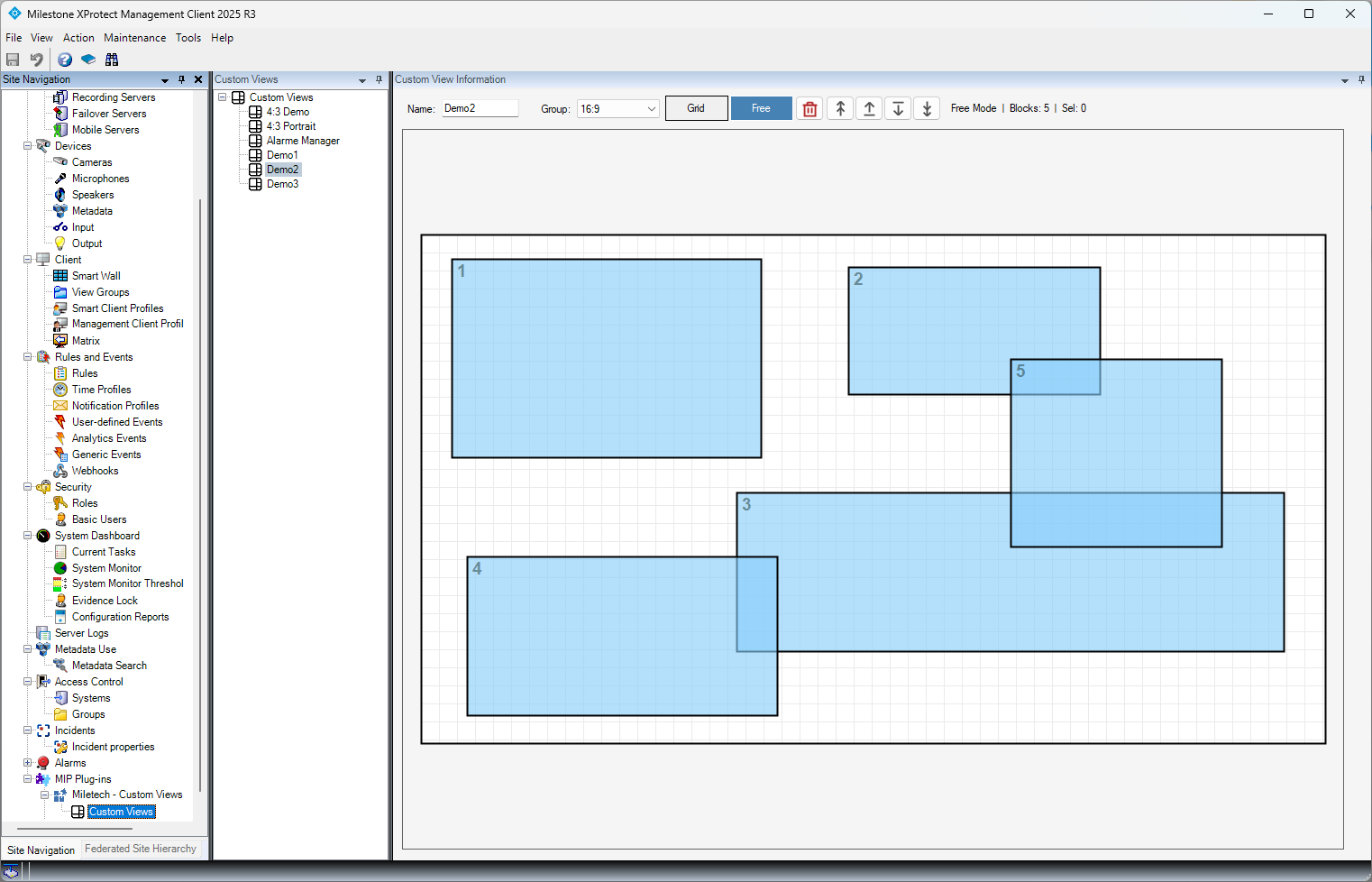
Management Client, Custom Views editor in free mode
Management Client, free-form layout editor
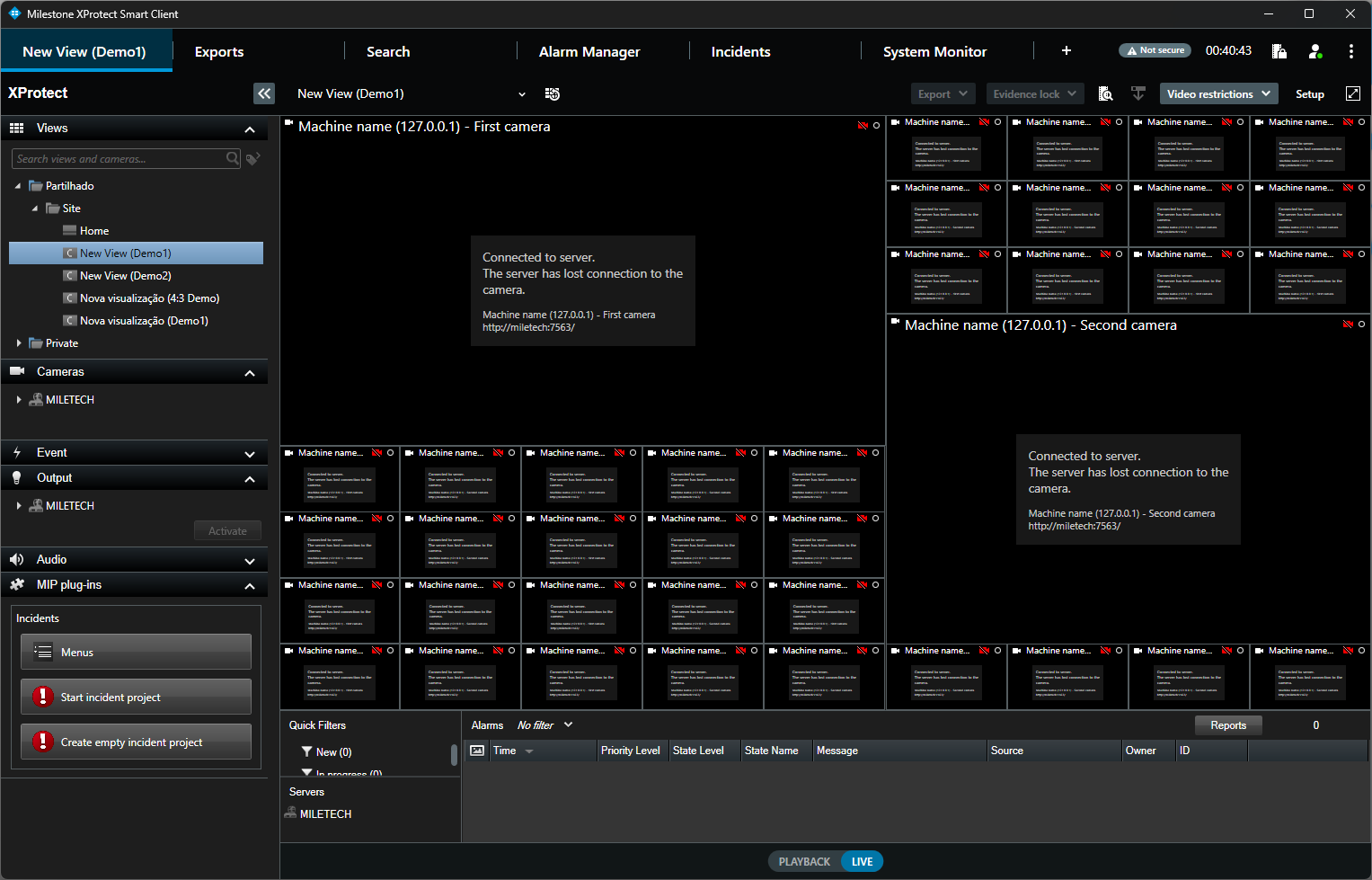
Smart Client, live view with grid layout
Smart Client, live camera playback in grid layout
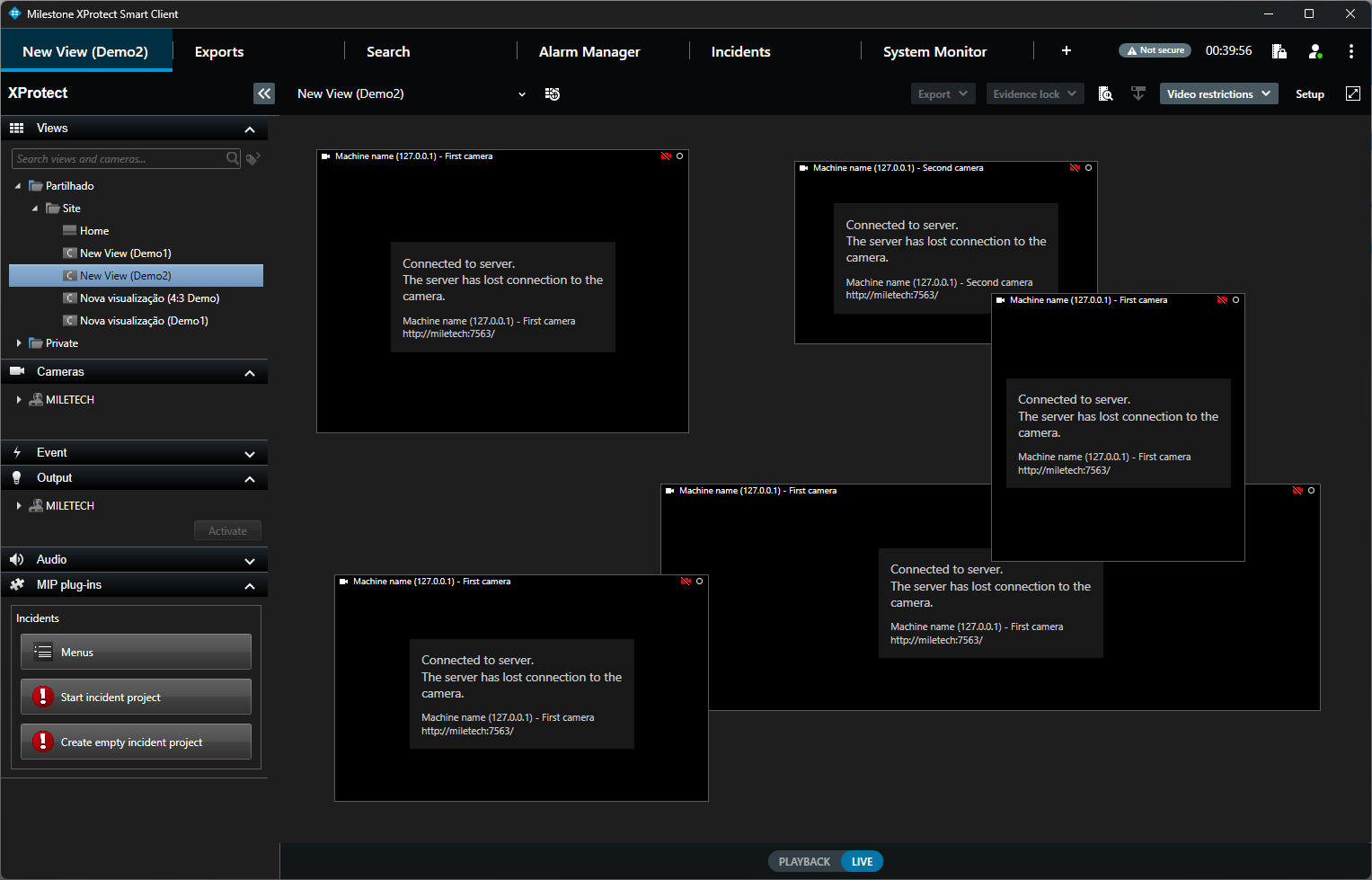
Smart Client, live view with free-form layout
Smart Client, live camera playback in free-form layout

System Requirements

What you need to get started.

XProtect Version

Milestone XProtect Corporate, Expert, Professional+ or Express+ (2022 R1 or later recommended).

Licensing

Per-server licence tied to hardware. Free demo version included. Activation via licence file, no internet connection required.

Frequently Asked Questions

How does the Custom Views Plugin differ from the standard XProtect views?
The standard XProtect Smart Client only allows camera views in a fixed grid. The Custom Views Plugin lets you position views freely on the canvas, resize them to any dimension, overlap them for picture-in-picture layouts, and create multi-aspect-ratio layouts, all from a visual drag-and-drop editor in the Management Client.
Can I use both grid and free-form mode?
Yes. The editor supports both grid mode and free mode. You can switch between them at any time. Grid mode snaps views to a uniform grid for quick layouts, while free mode gives you complete control over position and size.
Does it work with all camera types?
Yes. The plugin works with any camera connected to XProtect, regardless of brand or resolution. You can mix 16:9 and 4:3 formats in the same layout.
How is the plugin licensed?
Licences are per-server and tied to machine hardware. A free demo version is included with every download. You activate the full licence with a licence file, no internet connection is required on the server.
Can operators modify the layouts?
Layout creation and editing is done in the Management Client by administrators. Operators use the layouts in the Smart Client for live monitoring and playback. Permissions follow the standard XProtect role-based security model.
Ready to create better camera layouts?

Download the Custom Views Plugin and try the free demo version or contact us to request a licence.